RepCloud Publisher

Turn vendor updates into content you can publish.

Collect useful updates, prepare blog and social drafts, keep the original source attached, and move reviewed work toward supported publishing destinations. Publisher is a $79/month add-on.

RepCloud Publisher source inbox showing vendor updates ready for content workflows
Source monitoring, review-ready drafts, and supported publishing workflows Approved sources Source Inbox YouTube Blogs AI drafts WordPress Social review Social Board

Source engine

One vendor post can become a full content package.

Publisher is built for the daily sales reality: brands announce products in scattered places, teams need the story quickly, and every channel wants a different version. Track the source once, keep the original context attached, and let AI create reviewable drafts instead of starting from a blank page.

01 FollowApproved sources

Track supported brand sites, blogs, public URLs, YouTube channels, CRM products, and campaign sources.

02 CollectPosts and media

Bring in source URL, brand, date, snippet, image options, video references, and notes so the team can judge what is worth using.

03 RepurposeAI drafts

Generate a blog angle, headline, article draft, excerpt, social captions, image brief, and customer-facing talking points.

04 ReviewPublic previews

Share unlisted previews, collect notes when needed, swap images, and keep the source trace visible before scheduling.

05 PrepareBlog and social queues

Move approved work into WordPress preparation, the planning calendar, and supported social posting or manual-review lanes.

Sales content

Move from scattered source material to approved posts.

Publisher is the RepCloud content app for teams that need vendor source intake, product launch drafts, customer-facing copy, WordPress prep, social posts, review, and scheduling in one place.

Approved source monitoring

Follow supported vendor and brand websites, blogs, public URLs, YouTube channels, and CRM product updates.

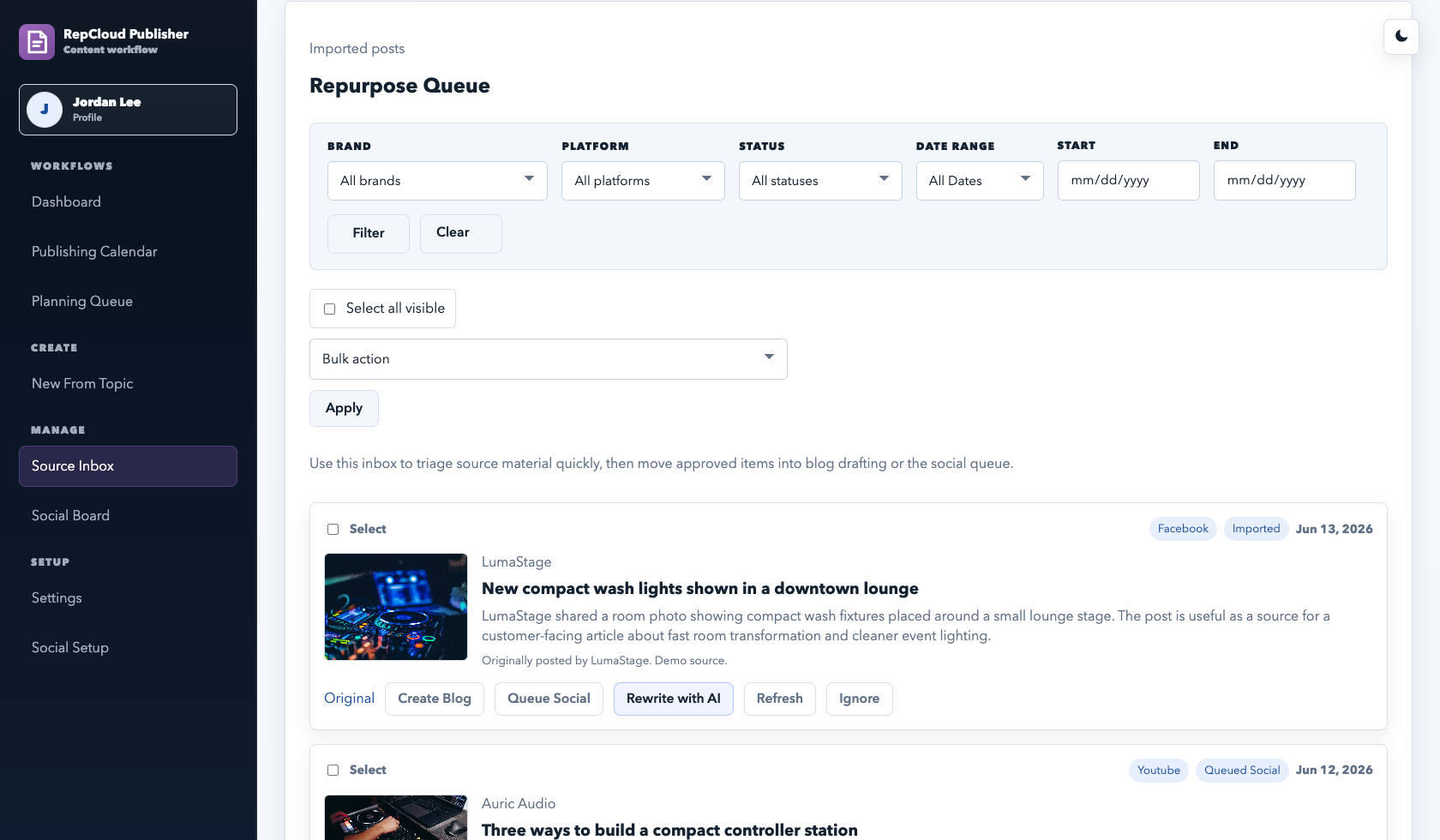
Source Inbox

Collect posts, announcements, blog links, social references, images, dates, and source notes before drafting starts.

AI repurposing

Turn one useful update into a blog draft, social variants, excerpts, customer-facing talking points, and image direction.

Blog editor

Draft article bodies, briefs, prompts, keywords, feature images, post types, and publishing notes in one screen.

WordPress prep

Prepare WordPress URLs, categories, featured images, preview pages, and publish controls from the content record.

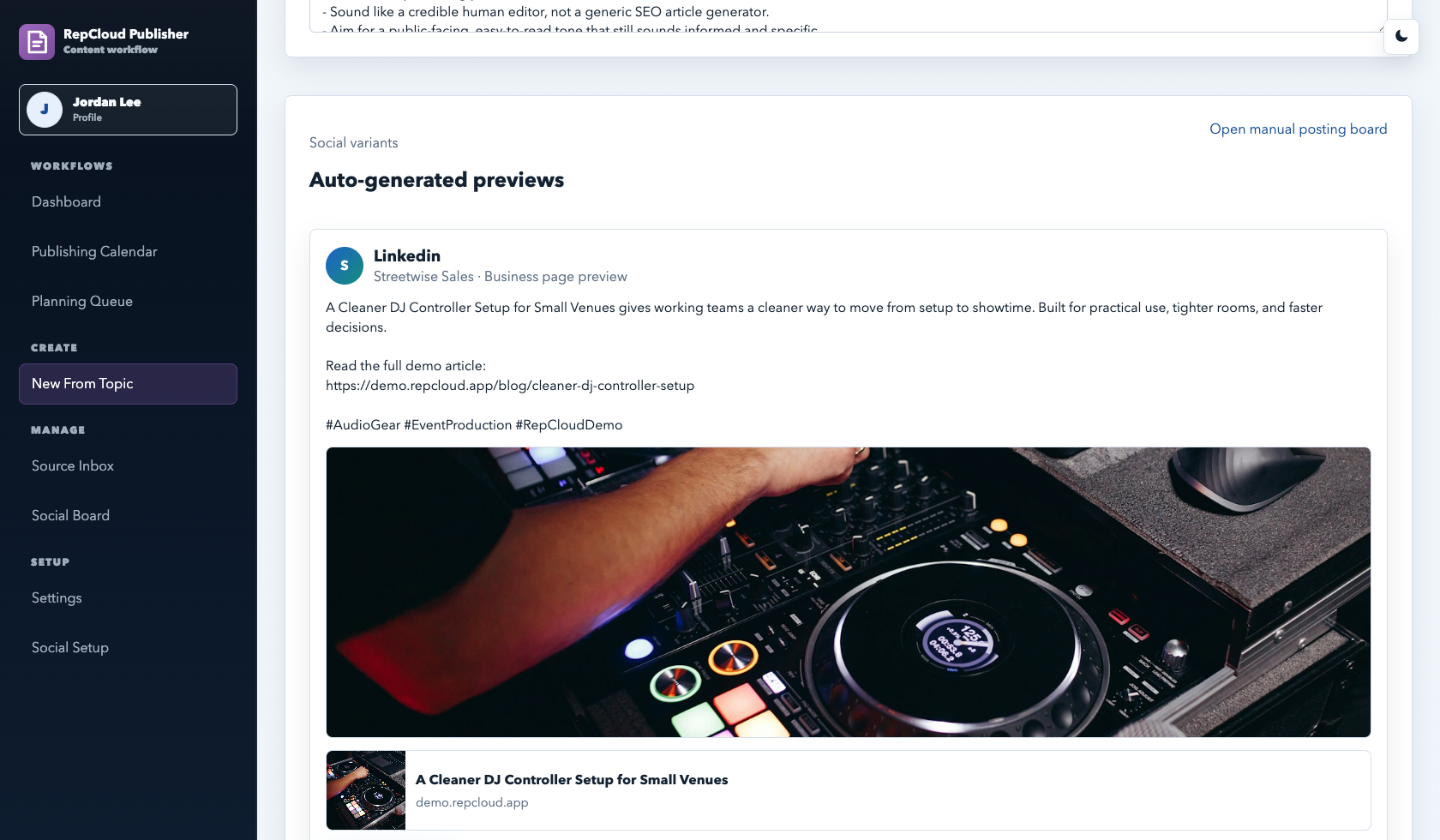
Social variants

Create and review channel-specific copy from the same product update or source article. Connection and direct-post availability depend on the customer account and provider.

Social Board

Queue ready posts, mark scheduled items, review published status, and work through manual posting actions.

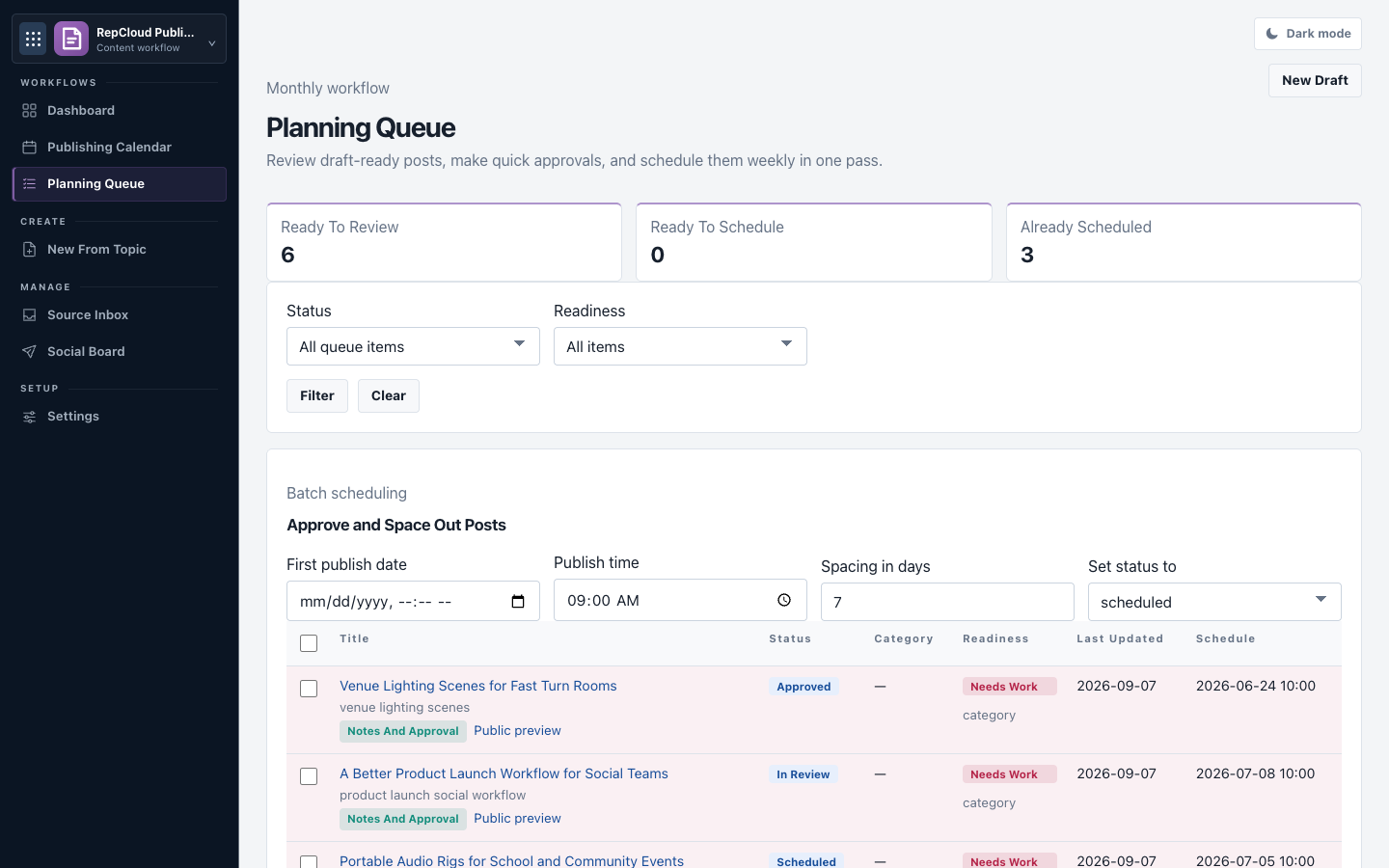
Planning Queue

Review draft-ready posts, approve batches, and space out scheduled publishing work.

Publisher surfaces

The actual screens behind the content work.

Source material gets collected before anyone starts writing.

Source Inbox tracks imported blog posts, vendor updates, social references, and active feeds so good material can become a blog draft or social post without getting lost.

RepCloud Publisher demo Source Inbox screenshot RepCloud Publisher demo Planning Queue screenshot

Blog drafts, WordPress fields, and social copy stay together.

The editor keeps the article draft, prompt, brief, keyword, schedule, WordPress fields, featured image controls, and generated social variants attached to the same content item.

RepCloud Publisher demo content editor screenshot

Social drafts move into a visible review board.

Social Board gives teams a queue for channel variants with review, ready, scheduled, published, and failed states. The final posting path depends on the connected provider.

RepCloud Publisher demo Social Board screenshot RepCloud Publisher demo publishing calendar screenshot
RepCloud Publisher demo planning queue screenshot

RC Assistant in Publisher

Draft faster, then keep the review path visible.

  • Follow these approved brand sources and pull useful new posts into the queue.
  • Turn this source post into a customer-facing blog draft and three social variants.
  • Summarize this vendor article into customer-facing talking points.
  • Rewrite this post for supported social channels without losing the source facts.
  • Create a featured image brief and WordPress excerpt from the draft.
  • Move approved posts into the planning queue or social board.