RepCloud.app
Manage customers, orders, files, and follow-up in one sales system.
RepCloud brings CRM, email, files, and sales content together, so your reps can answer customers faster and spend less time hunting through spreadsheets and inboxes.
One connected RepCloud suite
 RepCloud
One account
RepCloud
One account
 CRMCustomers & orders
 WorkspaceEmail & follow-up
 DriveSales files
 PublisherSales content
 RC AssistantAI assistance
Built for the day-to-day work of sales teams
Accounts
Customer portals
Products
Orders
Files
Tasks
Content
AI assistance
Best fit
For sales teams that handle accounts, product lines, pricing, and orders.
RepCloud is designed for manufacturers’ rep firms, field reps, inside sales teams, brands, and B2B distributors that manage dealer accounts, catalogs, orders, files, and portals.
Why RepCloud
Stop hunting through email, spreadsheets, and shared folders for customer answers.
RepCloud puts customer records, product details, pricing, orders, files, follow-up, and campaign content where the sales team can find them.
The usual way
Reps lose time hunting through email, folders, spreadsheets, and old order notes.
- A customer asks for pricing, but the latest sheet is buried in an email.
- An order comes in, but product details and customer terms have to be checked by hand.
- Files, portal access, tasks, and customer history live in different places.
- Follow-up depends on whoever remembers what happened last.
With RepCloud
Give reps one place to check the account, catalog, files, orders, and assigned follow-up.
- CRM holds customer records, contacts, portal access, pricing, products, and order history.
- Workspace turns email into replies, tasks, approvals, calendar items, and CRM handoffs.
- Drive organizes price sheets, product media, documents, and customer files in shared folders.
- Publisher and RC Assistant help draft customer emails, blog posts, and social content from approved product and account information.
Overview
See how RepCloud handles a typical sales day.
See how reps use RepCloud to check customers and products, manage orders and campaigns, and stay on top of daily follow-up.
The suite
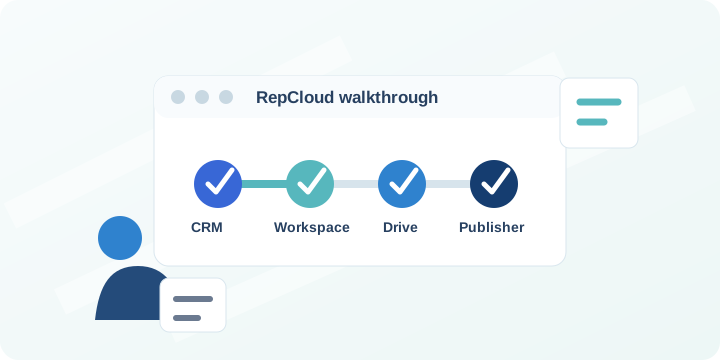
CRM, Workspace, Drive, and Publisher work together.
Use each app for a specific job, or connect them so the team can find account records, portal access, catalog data, files, tasks, and content by customer.
RepCloud CRM
Customer records, customer portals, lead finder, catalog, pricing, orders, campaigns, reporting, and Account Center.
View CRM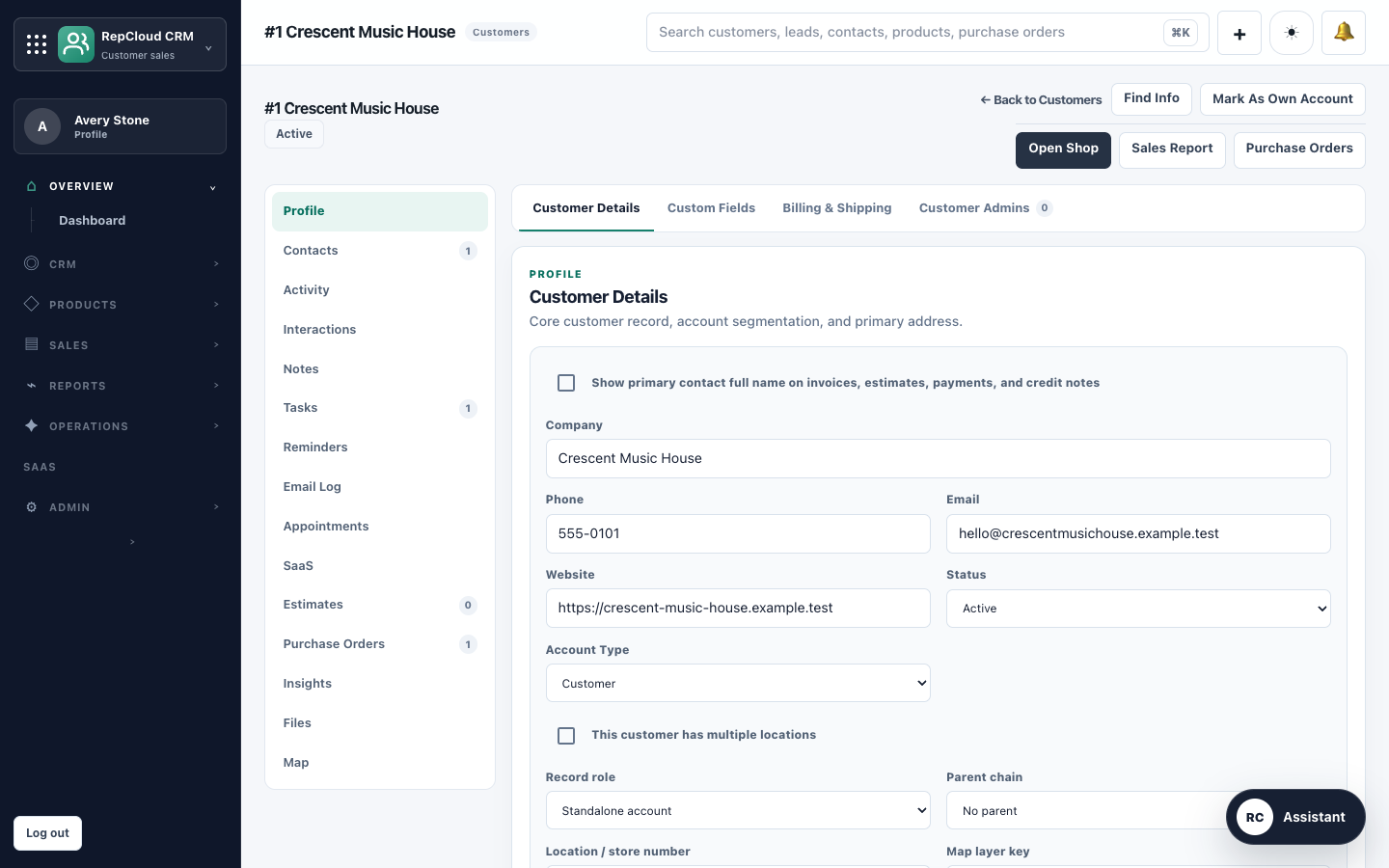
RepCloud Workspace
Mail, calendar, approvals, tasks, and customer reply drafts that use current CRM, product, pricing, and order information.
View Workspace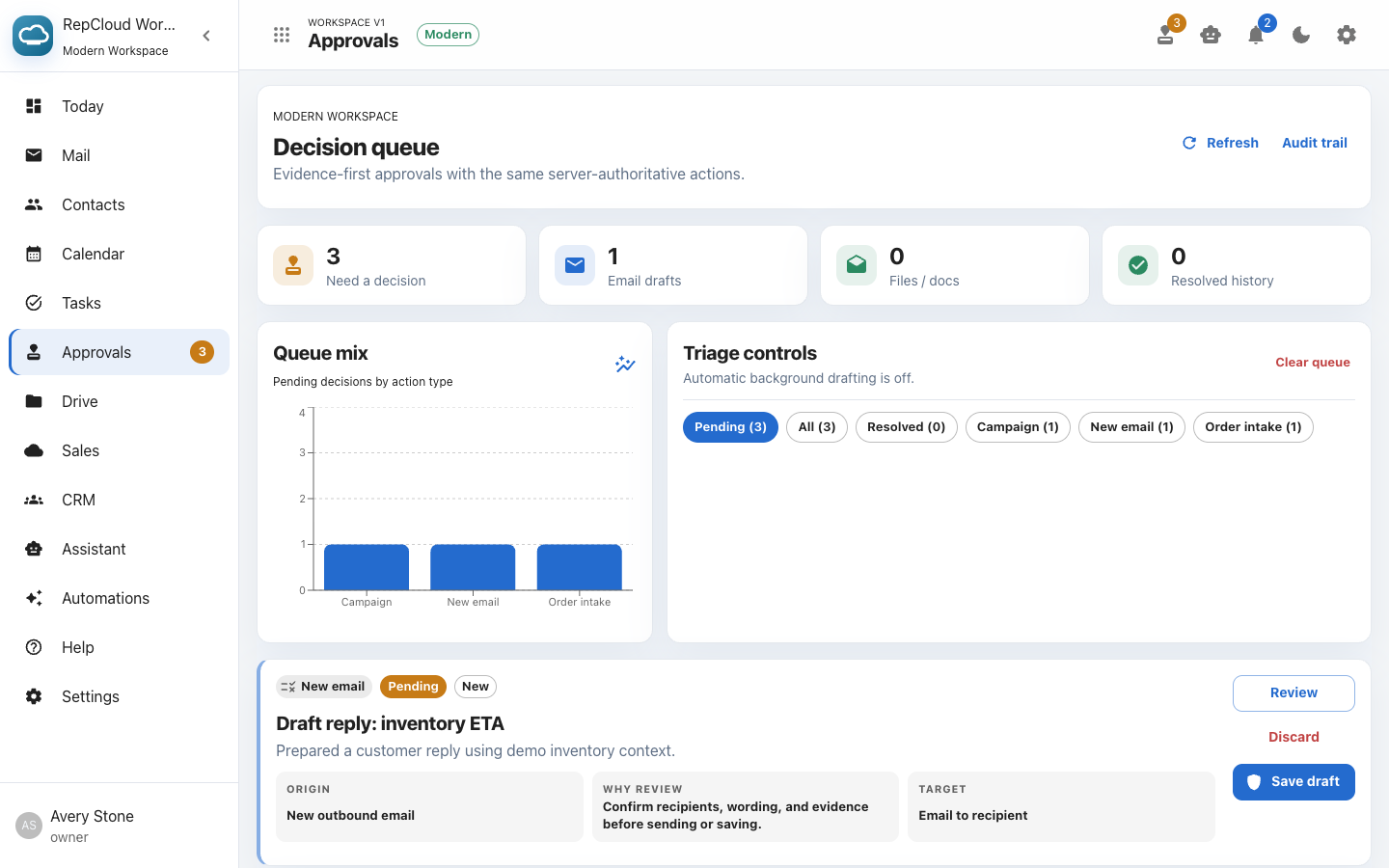
RepCloud Drive
Folders, spreadsheets, sharing controls, customer documents, previews, and file access for RC Assistant.
View Drive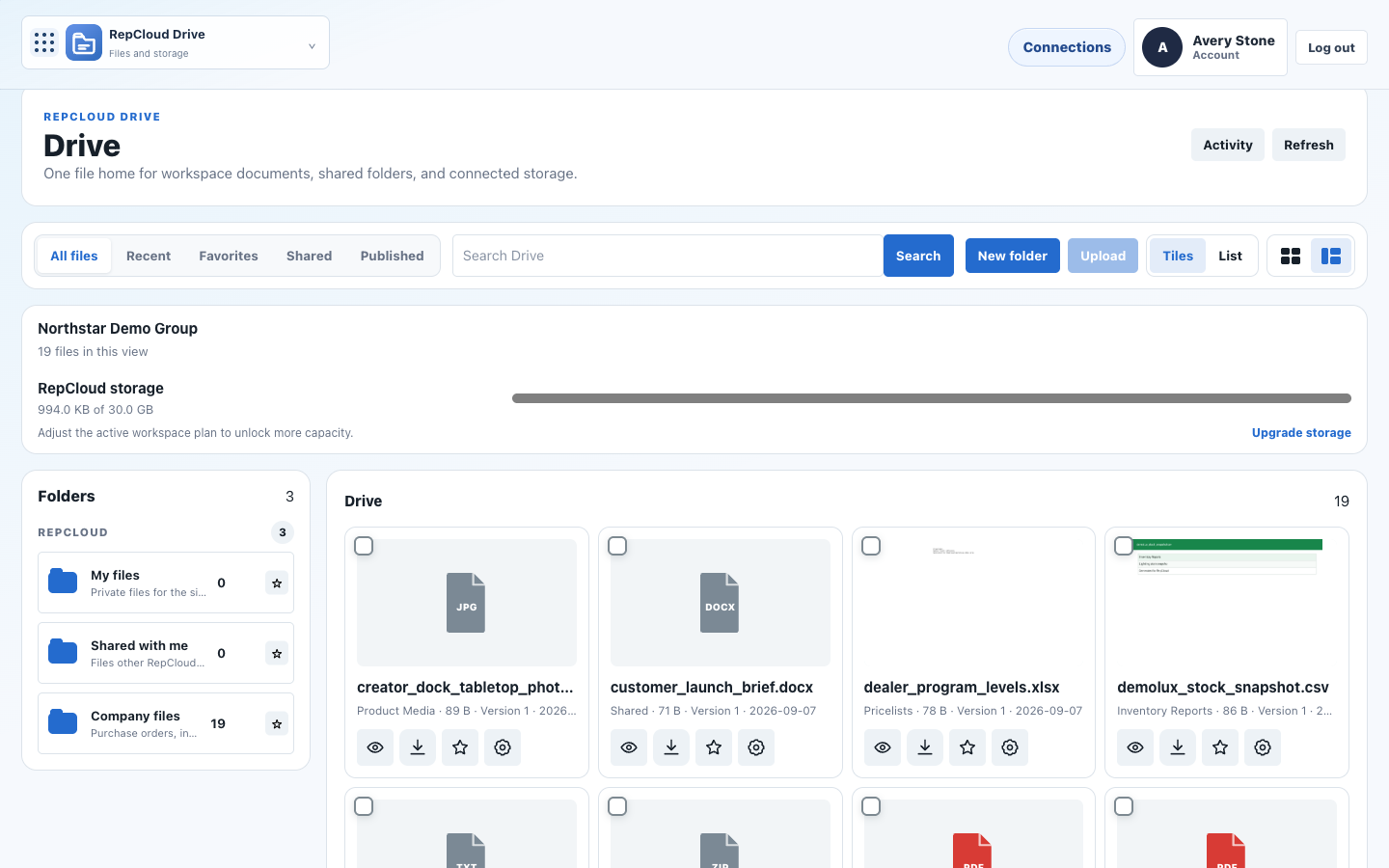
RepCloud Publisher
Source intake, blog drafting, AI revisions, WordPress prep, social versions, review, and publishing queues.
View Publisher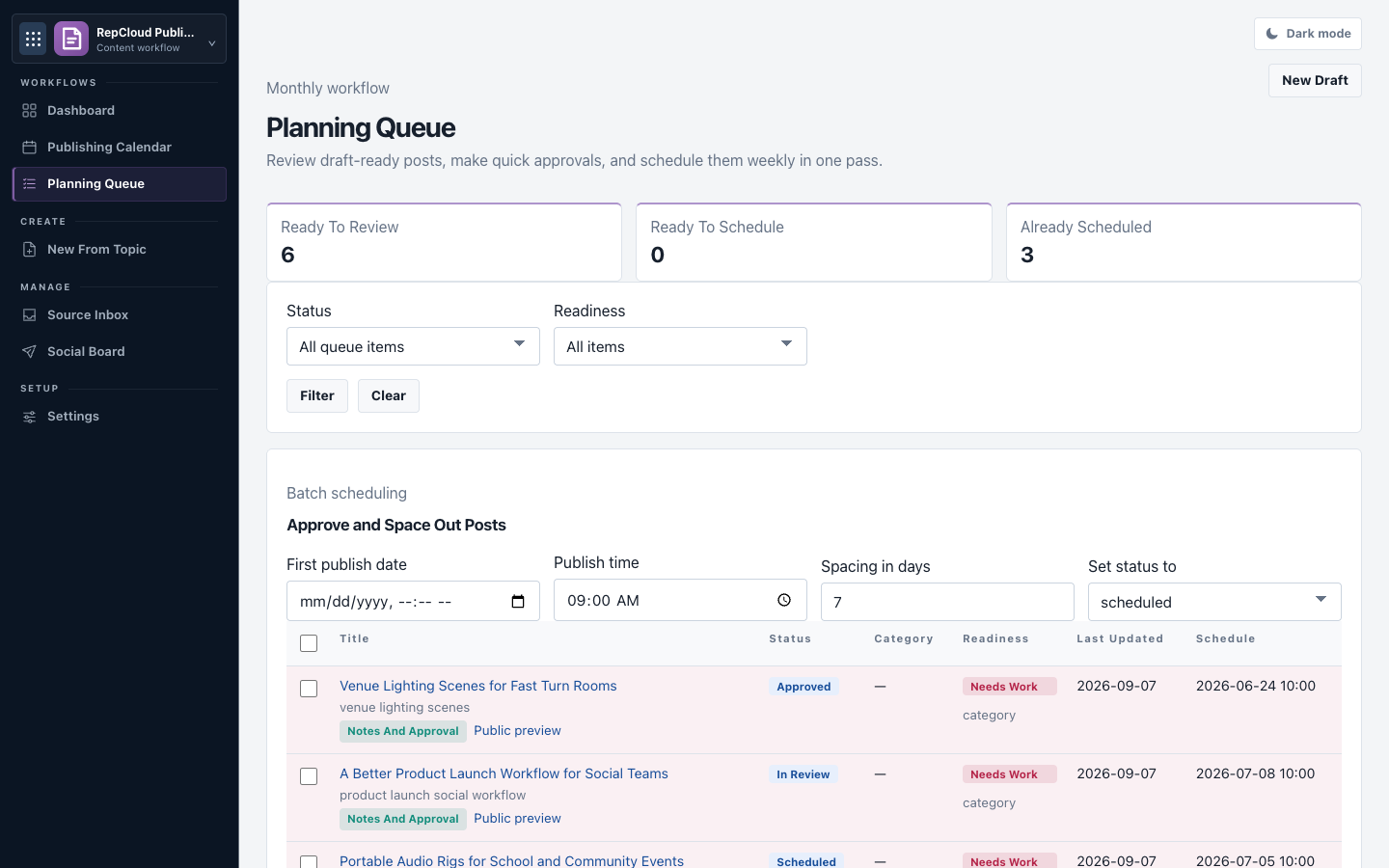
Integrations
Works with the tools your sales team already uses.
Connect RepCloud with selected tools your team already uses. Availability depends on your workspace, provider, and approved setup.
 Google Calendar
Calendar and appointments
See meetings, booking availability, reminders, and follow-up on the right customer record.
 Google Drive
Drive file access and migration
Bring Google Drive files into RepCloud customer records and Drive folders as your team consolidates shared sales files.
 OneDrive
OneDrive file access
Browse approved OneDrive folders from customer records and Drive when the connector is enabled for your workspace.
 Dropbox
Dropbox file access and guarded write-back
Browse or import approved customer files, product media, price sheets, and shared folders. When provider writes are enabled, RepCloud can return an edited file as a newly named copy without replacing the original.
@
Email delivery
Elastic Email and SMTP sending
Send campaigns, portal notices, password emails, and customer messages through the configured email service.
 WordPress
Publisher-ready blog content
Prepare article drafts, featured images, excerpts, slugs, categories, and social copy before moving content into WordPress.
 Collabora
Built-in document editing
Edit supported DOCX, XLSX, PPTX, ODT, ODS, and ODP files stored in RepCloud Drive, powered by Collabora. The integration is currently in preview.
AI
OpenAI
Optional RC Assistant help
When enabled, RC Assistant can summarize records, draft customer replies, extract order details, compare files, and prepare follow-up for review.
Vendor updates
Put a vendor update to work across sales and marketing.
Use RepCloud to store the source file, update the account or catalog, assign tasks, and prepare customer communication from the approved information.
Drive
Store the vendor file, price sheet, media, or customer document.
RC Assistant
Extract details, summarize changes, and flag what needs review.
CRM
Update customer records, portal access, catalog, orders, pricing, and campaigns.
Workspace
Assign tasks, route approvals, and track follow-up.
Publisher
Create approved launch copy, blog drafts, customer emails, and social posts.
Work from the road
Use RepCloud in a browser, on Mac, and on iPhone.
RC Assistant
AI help that uses your RepCloud records and files.
RC Assistant can work with the customer, product, pricing, order, and file information already in RepCloud. Use it to summarize accounts, draft replies, pull order details, and find files without leaving your daily workspace.
RC Assistant
Using RepCloud data
You Import this new price list and tell me what needs review before it goes live.
RC I found 42 SKU matches, 6 new products, 3 MAP changes, and 2 price drops that should be reviewed. I can stage the import, attach the source file, and create pricing review tasks.
You Do that, then create an estimate for North Coast with the updated demo package.
RC Done. The import is staged for approval, review tasks are assigned, and the estimate draft is ready with current pricing and source notes attached.
CRM
Create an estimate from this product list, check current pricing, and attach the source notes for review.
Workspace
Draft a reply using the current inventory, customer pricing, and order history in RepCloud.
Drive
Find the latest vendor price list, compare it to CRM products, and store the original file with the import.
Publisher
Turn the approved product changes into a customer announcement, blog draft, social post, and image brief.
Branded access
Give staff and customers one branded place to sign in.
RepCloud can give your company a branded hub at yourcompany.repcloud.app. Staff see the tools they are allowed to use, while customers get limited portal access. You can also point a custom domain to the appropriate hub or portal.
Hubyourcompany.repcloud.app
Staff appsCRM · Workspace · Drive
Customer portalApproved access only
Custom domainportal.customer.com
Pricing
Start with CRM, then add the sales tools your team needs.
RepCloud CRM is the core plan. Starter includes 1 user, and Team includes 3. Pro and Suite have no preset user cap and use one flat workspace price. CRM Pro includes 25 GB plus approved Dropbox, Google Drive, and OneDrive connections. Add the paid Drive add-on for 50 GB and advanced file controls—or choose Suite for all four apps.
CRM
Start here
Workspace
Inbox and tasks
+$79/mo
Drive
Advanced file controls
+$49/mo
Publisher
Blogs, email, and social posts
+$79/mo
Suite
Best bundle
$299/mo
Starter
$39/mo
Or $390/year. That includes two months free.
For a solo rep or small starting workspace.
Start 30-day Starter trial- 1 user
- 100 customers
- 300 contacts
- 500 leads
- 1,000 products
- 2 GB storage
- Basic Drive file home
- RC Assistant Core
- Customer portal
- Product catalog
- POs, estimates, and invoices
- Email campaigns
- Basic reports
Team
$99/mo
Or $990/year. That includes two months free.
For rep firms and inside sales teams with shared CRM work.
Start 30-day Team trial- 3 users
- 500 customers
- Unlimited contacts
- 2,500 leads
- 5,000 products
- 10 GB storage
- Basic Drive file home
- RC Assistant Core
- Shared customer records
- Customer portal
- Product catalog and pricing
- Order management
- Marketing lists and reports
Pro
$199/mo
Or $1,990/year. That includes two months free.
For growing teams that do not want preset CRM limits on users, customers, contacts, leads, or products.
Start 30-day Pro trial- One flat workspace price with no preset user cap
- No preset customer cap
- No preset contact cap
- No preset lead cap
- No preset product cap
- 25 GB storage
- Browser file home with internal sharing
- RC Assistant Core; AI credit packs available
- Dropbox, Google Drive, and OneDrive connectors included
- Campaign templates
- Customer segments
- Advanced product management
- More room for files and media
- Paid Drive add-on available for 50 GB, external links, portal publishing, version controls, desktop sync, offline files, and a dedicated iPhone app
RepCloud Suite
$299/mo
Or $2,990/year. That includes two months free.
Bundle price for CRM Pro + Workspace + Drive + Publisher.
Save $107/mo (26%) compared with buying the four components separately.
For teams that need CRM Pro plus Workspace, Drive, and Publisher.
Start 30-day Suite trial- CRM Pro plan limits
- Workspace for inbox, calendar, approvals, drafts, tasks, and Mac app access
- Publisher for blogs, social posts, and customer email copy
- Paid Drive add-on features with 50 GB, portal publishing, revocable external links, version controls, desktop sync, offline files, and a dedicated iPhone app
- RC Assistant and Publisher AI features; credit packs available
- Additional storage is available when your team needs more room
Drive options
Connect your files—or add the complete Drive experience.
CRM Pro already connects the cloud storage your team uses. The paid Drive add-on adds more RepCloud storage and dedicated desktop and phone apps for teams that want advanced delivery, history, and offline access.
Manage extras in one place.
Add apps, buy AI credits, and review your current plan in Account Center. Contact us when you need more storage.
Pricing FAQ
What to know before starting a trial.
How long is the trial?
CRM Starter, Team, Pro, and RepCloud Suite include a 30-day trial. Individual add-on trials are managed inside Account Center.
Can we pay annually?
Yes. The annual prices shown above include two months free compared with monthly billing.
How many users are included?
Starter includes 1 user and Team includes 3. Pro and Suite use one flat workspace price with no preset user cap.
How do add-ons work?
Workspace, paid Drive, and Publisher are enabled and managed through Account Center. Suite bundles all three with CRM Pro.
Are AI credits included?
CRM plans include RC Assistant Core. Additional AI credit packs are available, and Suite includes the Assistant and Publisher AI features described above.
What storage is included?
Storage depends on the plan: Starter includes 2 GB, Team 10 GB, CRM Pro 25 GB, and the paid Drive add-on 50 GB. Contact us if your team needs more room.
Can we cancel?
You can review subscription and billing options in Account Center. Before cancelling, export any records or files your team must retain and confirm the effective date shown for the subscription.
What happens after a trial?
Account Center shows the trial status and available subscription choices. Confirm a paid plan before the trial ends if the workspace needs uninterrupted access.
Next step
See how RepCloud fits your sales process.
Start with a walkthrough of CRM, Workspace, Drive, Publisher, and RC Assistant, then choose the setup your team needs.